I was proud of the Tick Update Scheduler I had made to allow for different system tick rates. I had changed it to be completely decoupled from my rendering/window code. Until I had noticed that my logic was not decoupled at all. Here is my application loop: needs to finish executing before the loop iterates over itself again. This was an oversight on my part. It looks right at a glance. I created a system that prints, "Hello, World", to the console. I put it into a tick group that was set to update 120 times per second. When the game is running, it's hard to tell if the system is running 120 times per second or 60 times per second. I "verifie...
Note: The use of em dash in this post is my own effort. I do not use AI to generate my posts. You can type em dash using Option + Shift + Hyphen on a Mac. My AI simulation from the last post had grown a lot over the last few days. I had originally written it in C and then tried to write it in C++ for "more performance bro". Then I remembered why I avoid C++ projects. I have worked with C++ many times. I am not a stranger to it. However, I’m nowhere near proficient. Sure, I can make classes, write functions, use pointers, and get some stuff done. But I haven't even touched templates, smart pointers, compile time programming, etc. This is mainl...
I posted my new project a couple of days ago and the map that I was creating for it. I do want to continue working on the project but I burnt out pretty quick. I'm still determined to get it released eventually but this will likely take a very long time. I've made too much progress to justify deleting or discontinuing it. Aside from that, I've actually started something new. I'm not the strongest in math but I decided to take on machine learning as a hobby. The game Creatures (1996) inspired me by itself. Players would care for these creatures like they are pets. They have very simple neural nets, DNA, environment inputs, and a bit more to in...
I haven't made a post in awhile because things have gotten a bit busy. I've decided to commit to a project idea that I came up with a few months ago. For now, I am not going to share the idea but rather the progress I've made on executing the idea. I have a few mechanics already programmed and in the prototyping stage.
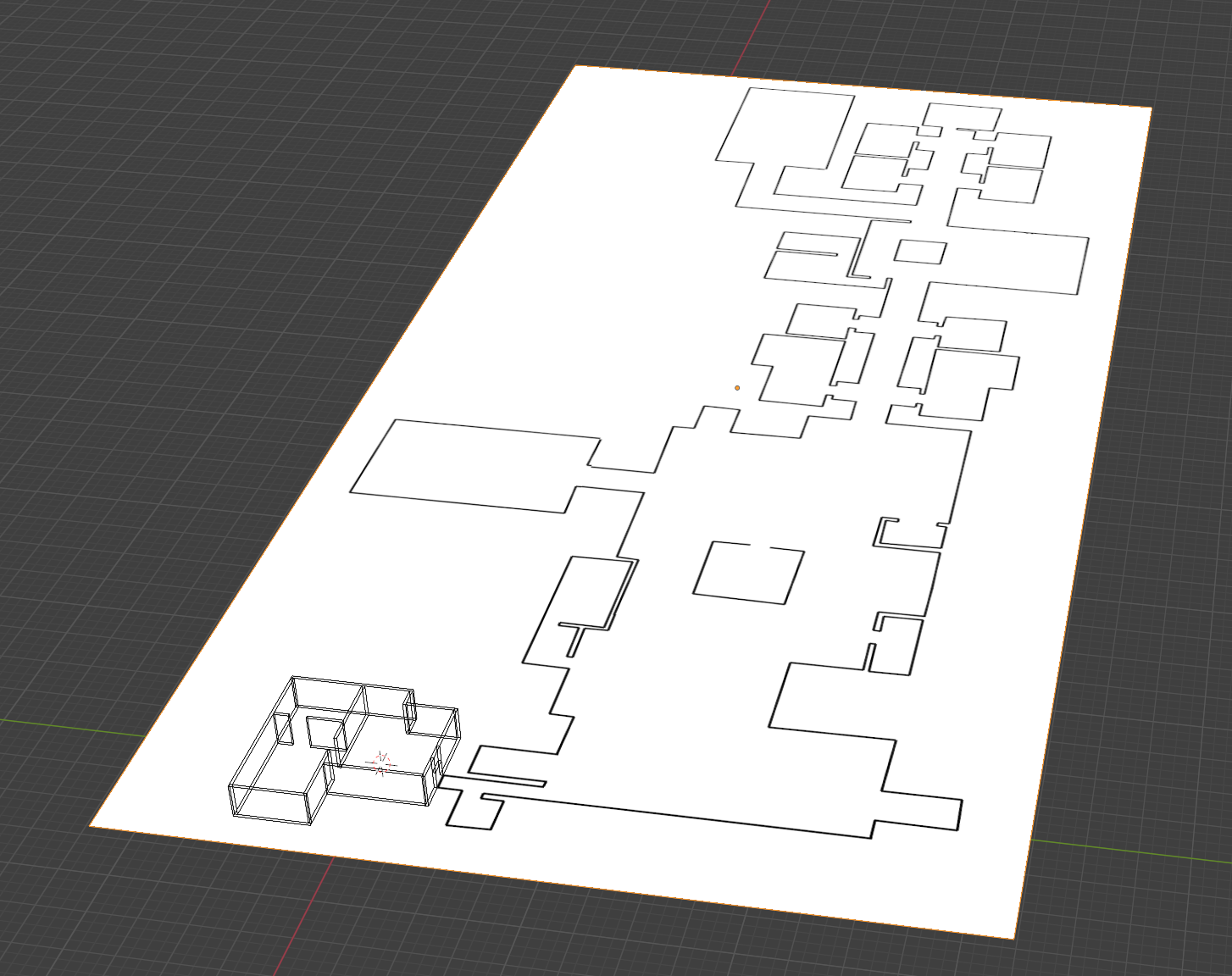
Here is the map that I am creating for the prototype. This is slightly smaller than what I want an actual section of the first map to be. The game takes place in a facility/factory and the first section that the player can explore is called "A Wing". There will be a "B Wing" and "C Wing" which are equal in size.

I have also realized another reason why I should not make a full architectural switch to Unity DOTS for my future projects are the long list of assets and tooling that I purchased over the years from the Unity Asset Store. I had purchased a lot of these assets because they looked really cool and I knew that at some point I would have to use them but never had. Most were developed with the typical GameObject workflow in mind and might not work 100% or at all with Unity DOTS. I've thought about that in the past and accepted that I'll likely have to rewrite those tools from scratch to fit my needs but that is a lot of working that I don't necess...
I have an OptiPlex home server that I haven't used in awhile. I've recently installed Fedora Server and created a podman container for hosting Calibre-Web. Should be a nice way to host my EPUB book files for any resources I want to read up on as well as for my girlfriend since she likes reading books as well.
Unity DOTS is amazing but annoying. After working with it for a few weeks, I can finally say what my number one problem is with it. You cannot smoothly go full ECS with Unity . I think this is where my previous game engine worked wonders. It was implemented in such a way that allowed anything and everything to be an entity with components and systems. Unity just doesn't work that way. Things like collisions, serialization, cameras, and even rendering with shaders is more complex than what it needs to be. I am currently looking at other options. I am trying to identify my underlying issue though. I believe my switch to DOTS was not justified. ...
Another thing off the list. The player now has an inventory. While the inventory is very primitive compared to a normal survival game, it does classify as an inventory. The player can store as many apples as they want and they can eat the apples by pressing the "1" key. No longer can you eat it straight off the ground. Last two things on the list are buildables and fixing the death when going too far from the island. As for the buildables, I am thinking of creating a smoothie machine where you can "input" your apples into the machine and it will spit out a smoothie. I am not going to work on this tonight since it will likely take a lot of pla...
One frustrating issue I just came across is there are no collisions with trees. There isn't much I can do right now that'll be quick and easy. For this project, the player will simply lack the ability to collide with entities.
The reasoning for this is that the player GameObject is not an entity. I used a character controller off the asset store and while I do want to convert the entire controller into something that is ECS compatible, I simply don't want to add that type of complexity and time on this project considering how long I worked on the grass for.
Here is a quick screenshot of the UI working. It correctly displays health and food amounts. I just ended up going with what I know best which is a player event bus. It has an event for health changed and food changed. Any system that updates the player stats component will call these events and the UI subscribes to them. While I don't like the idea of calling these events every frame, it is a small game that isn't going to be published on anything major like Steam (it isn't really meant for the public), so if it runs 120+ FPS on my computer then I think its alright. Going forward, I think it would be best to find a different solution or limi...
Finally got another task checked off the list of TODOs. Player can now walk around and feed themselves (though there is no UI yet). I decided to go almost full ECS. Any system that I program for this project going forward will be ECS or at least be attempted in ECS. The main reason for the switch is because I love ECS and how it forces composition over inheritance. If you're curious as to my first documented experiments with an ECS, I'd recommend checking out the Battles: Game flare. That has some posts with my previous project that used Raylib and EnTT. The first thing I worked on were trees. I wanted them setup to be data driven spawners fo...
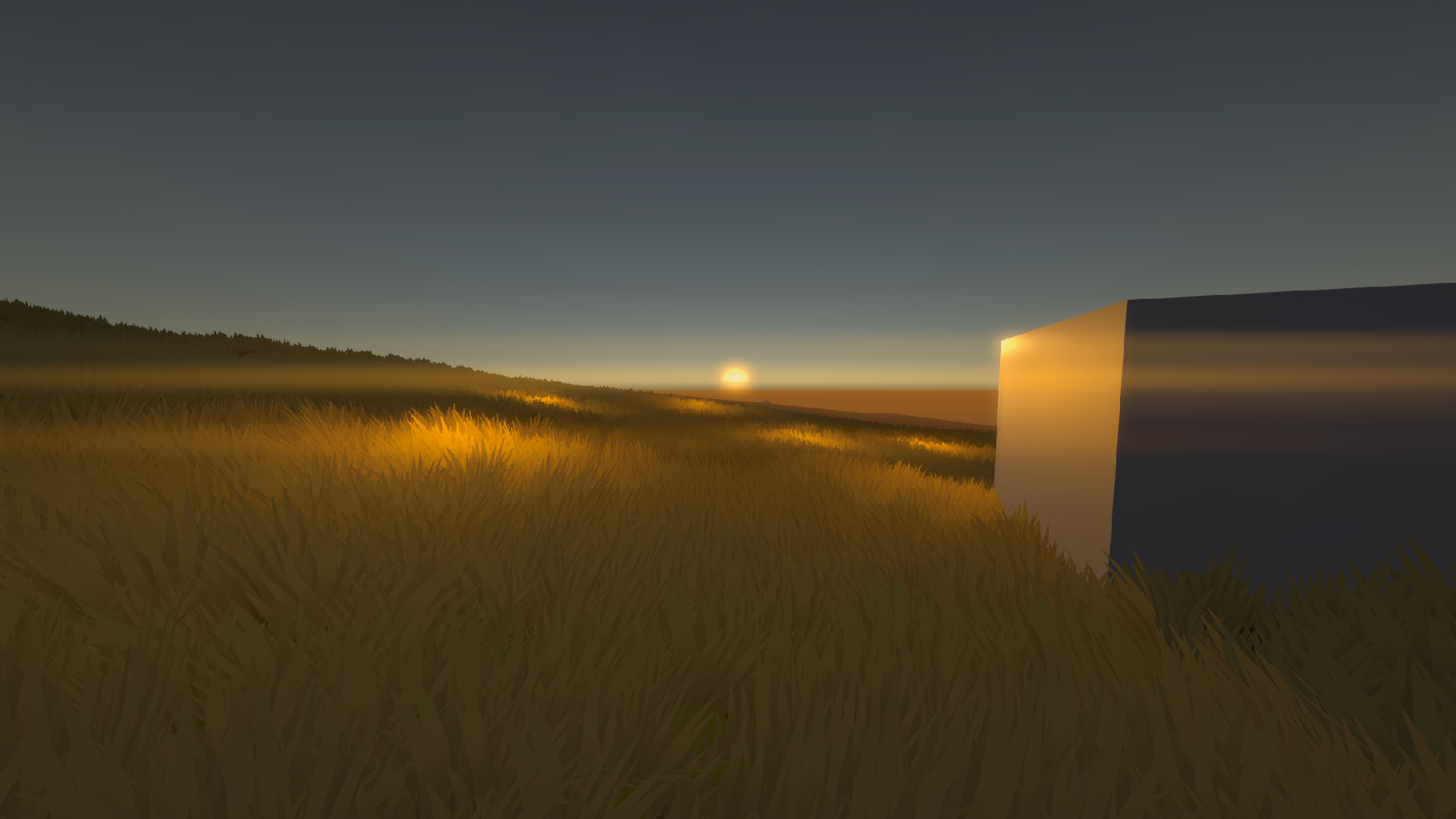
Here is a screenshot of the grass shader working on my terrain. Performance took a hit when porting over from my test scene to my main scene. I'm thinking it has something to do with overdraw since now grass blades are at different heights. Hard to say for sure without debugging. It looks good and still runs better than the default shader at twice the density.

Last night I read up on shaders and grass shaders. I was able to implement something using GPU instancing and was extremely happy with the results. FPS nearly tripled with the same scene. Turns out, URP using SRP Batching and was batching together all my grass and tanking performance. Even with "GPU instancing" explicitly checked on the shader, it still didn't work. So I just ended up writing my own shader to do this. There are a few issues that I will point out now: Only the main directional light cast shadows onto the grass I believe alpha clipping is causing little dark noise spots in the distance in some lighting scenarios Performance sti...
I've been working on the grass for a while now and I think I am hitting the limits of Unity's terrain detail functions. I hate extending current functionality, especially if it wasn't made by me. It requires work arounds and more trade offs than I like. It's good for getting something quick out but not something where I need to squeeze every bit of performance. The grass does look visually appealing but doesn't run more than 40 FPS in dense fields. I'd like to point out that I am always benchmarking this using my ultra wide monitor with no resolution downscaling so its rendering a 5120x1440 texture (multiple textures technically) 40 times per...
I ended up not finishing the project over the weekend which is a shame but I did end up learning which was always the end goal. I think I'm going to spend time learning about grass and how to render tons of billboards without slowing using the current project as a benchmark.
I have been working on rendering grass billboards on the terrain for a couple of hours now and while I did accomplish this task, I did not accomplish it in a way that I like. A lot of this has to do with my inexperience with different rendering techniques and optimizations that are preventing me from getting it to look the way I want it to look. Despite looking at a lot of high level overviews on YouTube, I have failed to replicate the exact implementation. I do not have any more time to work on this grass so I'll just have to be comfortable with less dense grass fields. It still accomplishes its job of breaking up the ground texture though, ...
The terrain now has a slightly improved transition line. You can no longer see the pixels I showed in the last few screenshots. I did this by increasing the splatmap resolution so we can fit more pixels in the same area and by fiddling with the texture layer heightmap blend map. A typical terrain shader with this enabled will require a height map of a texture to be provided. When two textures are overlayed, it will compare each pixel of a texture to same pixel location of another texture. Which ever value is greater will be the portion of the texture that is displayed. This is what allows a sand texture to accumulate inside the crack of a bri...
I've gone through a couple of games and took various screenshots of the beaches that I could find in those games. There are a couple of patterns that I found that I need to incorporate into my game. I don't want to get in depth on these patterns so I'll just write a list and show you some of the screenshots that I found. Beach to grass textures are always blended smoothly unlike my game which has harsh transitions Texture blending has a very high resolution (or at least someway to combat "blurry pixels") Some of the more realistic games have low quality (compared to what I was thinking I needed) textures PBR is used extensively to give a "wet...
Last post I’m going to be making for tonight as I am heading to bed. Right now im trying to figure out what I can do to improve the look of my island as it stands right now. There are a lot of obvious things that I am missing such as modeled ground detail, physical grass, trees, vegetation, etc. However, I think my next action should be getting direct references from my inspirations. Mainly Rust and Ark: Survival Evolved. I’d also like to gather some references from other games such as Unturned, Muck, and Battlefield 1. Here are some of the questions I want answered: What does each individual texture looks like? How does it tile? What extra d...
I have just finished texturing the terrain and adding a few rocks modeled in Blender (it's just a single mesh). I used a script that allows me to customize how many rocks I'd like to place, the area to place them, min/max ranges for randomized rotation and the same for scale. When clicking the editor button to generate prefabs, it picks N randomized points on a flat plane (N being number of prefabs I'd like to place). It then raycasts downwards until it hits a collider (which is the terrain). Then it instantiates the object, scales it randomly within the range I set, and rotates it randomly within the range that I set. It runs in two passes. ...
The reason why I added screenshots to my blog is because I wanted to visually show what Gaea looks like and the map that I went with. Gaea is a free software that "industry professionals" use to generate landscapes. It uses nodes that connect together in order to form complex details. If you haven't tried it, I highly recommend you do, even if you are not into game development. It's really fun seeing what you can create. I started my island off with a simple height map file. This file was not generated by Gaea but instead a website I found online. It gives me a good base to go off of. Here is what that height map looks like compared to what i...
This is the first image test post that I am making. Hopefully I got this on the first try. I am using Vercel Blob Storage in order to upload files like images and display them on my site. There was a bit of security that I had to sacrifice since post content is limited on what elements it can create. I also added functionality to display YouTube videos on here in case I want to show off anything that requires video footage. That was a bit tricky but hopefully it works. IFrame's are annoying. Here is a picture of my sweet little kitty named Murphy. She's about a year old as of posting this. Picture was taken using my Canon EOS 450D last Septem...
I've been looking at a few options for getting the terrain built for the game. In a perfect world, I'd spend the time building my own terrain generation system. However, I know I'll get stuck on it for a very long time due to the amount of features I'd want. When generating terrain for a survival game, you could have things like biomes, temperature, different prefabs spawned for the ecosystem that area of the terrain is in, etc. All very cool things that require a lot of programming to get generating quickly and nicely. This is even more difficult when you want to add things such as caves since most terrains are built using a height map. Ther...
I really didn't want to go through the whole process of making my own character controller because they are boring to make. A lot of my projects in Unity are first person controllers and I never reuse my controllers because they are all terribly made. I decided to try out a prebuilt system and found one that seemed to be pretty good. Easy Peasy First Person Controller is what I ended up going with. I did end up having to customize it a bit, but that is expected with any project. The first thing I noticed was that this controller seemed to have the functionality built for Unity's new input system but didn't use it. In fact, the only player inp...
Starting a third project today. I'd like to get it done this weekend. I'm going to do something to help finish which is define a set of goals that I want to accomplish. These goals are things that need to be in the game and visible to me as a player. I want to build a survival game on an island. Something small but something with decent content. Ideally, something I can release to the public to play without many bugs. Here are the goals: I want to be able to move around an island I want to be able to die spectacularly when swimming to far from the island I want to have only hunger that depletes slowly and affects health depending on the amoun...
Just added flares to the blog site so now I can select which post belongs to which project. Currently, I only have two projects that I am working on personally. Battles and this blog. There are only two flares as a result. The list may explode over time but until then, this flare solution is pretty basic and easy to use.
Aside from that project. I am going to be revamping this website in just a second here. I made some changes to the style of the site and fixed some bugs on my end (admin center). Unfortunately, my site does not support screenshots or videos just yet so whenever this new version goes live, its pretty much the version anyone will see from then on. There will be no history other than my private git commits of this UI theme. I kind of hate it though, which is why I changed it. Originally, it was supposed to be a retro modern theme. Now, its just a regular flat and modern site. I think its easier on the eyes. Lastly, I want to eventually implement...
I didn't work on the project too much today but I did start on something interesting. I was kind of tired of seeing a little red box moving around since that was the players bounding box and there was no way to use an animation or sprite sheet yet. I decided to start working on that today. I just finished up creating a player state component and system that simply checks the players current velocity to determine which state its in. It can either be idle, walking, or jumping. There is no falling but there isn't a falling animation either on my sprite sheet. So I will just use jumping as anything where the players velocity does not equal zero. ...
I have migrated towards using ImGui. Took less than 15 minutes on my break to get done. Very quick and easy with the Raylib backend provided by "raylib-extras/rlImGui" on GitHub.
I've been heavily procrastinating developing this UI framework because in all honesty, it doesn't seem fun. I will undoubtedly need proper UI in my game engine at some point but trying to get this to work at the quality that I expect is just a lot of wasted time. No other progress has been made on the game and each time I load up the codebase, I want to instantly close it. For now, I think its safe to put it on the back burner. If needed, I can use the console window for commands such as joining servers or executing certain actions. If visual representation of data is absolutely required then maybe I can use RayGUI.